How to Check Your Dairy Queen Gift Card Balance
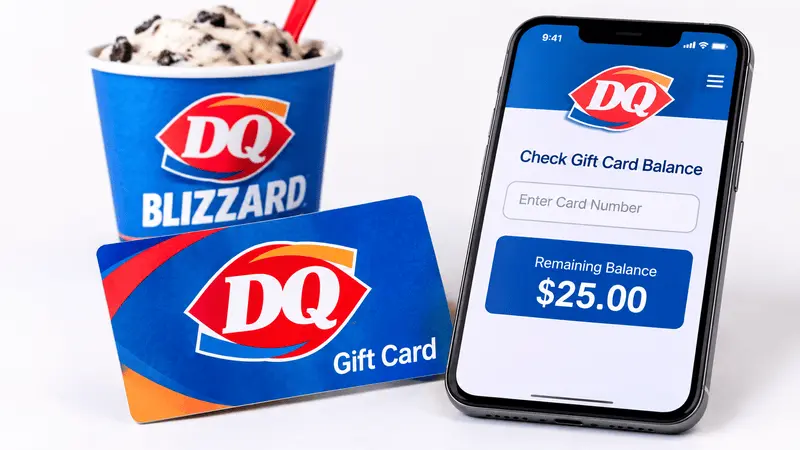
A Dairy Queen gift card makes it easy to pay for your favorite Blizzard Treat, burger, or other menu items. However, before placing an order, you need to know how much money is left on your card. You can check your DQ gift card balance online or by phone, depending on the type of card you have.
Below, we’ll explain how to check a Dairy Queen gift card balance, what information you need, and what to do if the online balance checker doesn’t work.
How to Check Dairy Queen Gift Card Balance Online
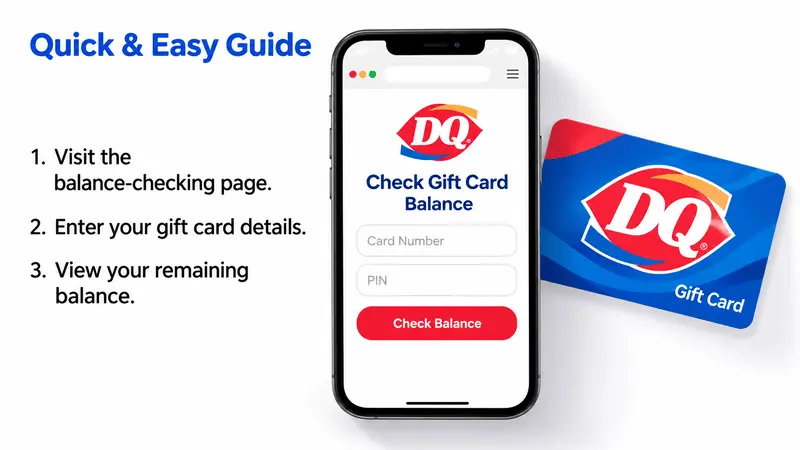
The easiest way to check your DQ gift card balance is through Dairy Queen’s official gift card balance page.
Follow these steps:
- Open the official Dairy Queen gift card page.
- Find the “Check Your Balance” option and select it.
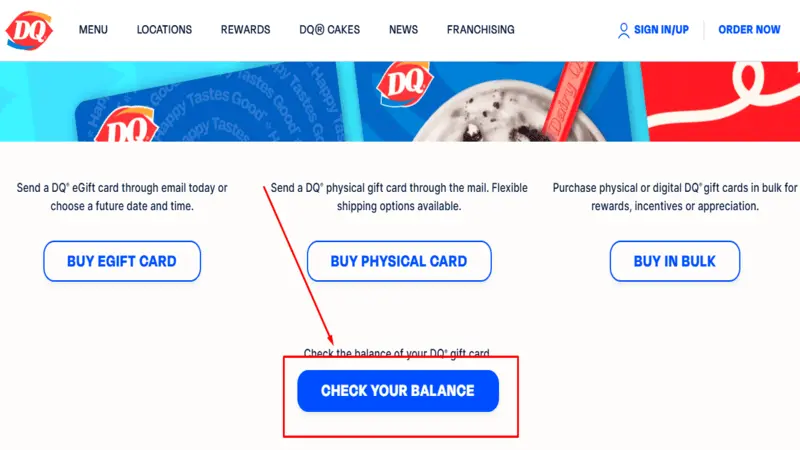
- You’ll be redirected to Dairy Queen’s gift card balance service.
- Follow the on-screen instructions and enter your gift card information, including the card number and PIN if requested.
- Submit the details to view your remaining balance.
Keep your 16-digit gift card number and PIN available before starting. Not every older card has a PIN, so the process may differ depending on when and where you purchased it.
Important: Dairy Queen eGift cards purchased before November 24, 2025, do not have PINs. If you have one of these cards, use the customer support form for balance assistance. Do not try to guess a PIN.
How to Check DQ Gift Card Balance by Phone
If the online balance checker isn’t working or you cannot access your card’s PIN, you can also check your balance by phone.
Dairy Queen provides an automated gift card balance inquiry number:
1-800-605-9371
You can use it:
- Call 1-800-605-9371.
- Follow the automated instructions.
- Enter your 16-digit Dairy Queen gift card number when requested.
- Listen for the available balance information.
Keep your physical gift card or eGift card details nearby during the call. This is a useful alternative when you cannot complete an online DQ gift card balance check.
How to Check an Older Dairy Queen eGift Card Balance
If you have an older Dairy Queen eGift card, you need a different approach because some were issued without PINs.
According to Dairy Queen, eGift cards purchased before November 24, 2025, do not have PINs. If the online balance checker asks for a PIN that your card doesn’t have, don’t enter random numbers.
Instead, follow these steps:
- Visit the Dairy Queen Contact Us page.
- Open the Contact Us form.
- Select the relevant gift card inquiry option, if available.
- Explain that your eGift card was purchased before November 24, 2025, and does not have a PIN.
- Provide the requested purchase or card information through the official form.
You can also try the automated balance inquiry number at 1-800-605-9371.
How to Contact Dairy Queen Gift Card Support
If you purchased your gift card online and cannot check its balance, the correct support channel depends on when you bought it.
Gift Card Purchase | Support Method |
|---|---|
Before December 2025 | Dairy Queen Self Service |
After December 2025 | |
After December 2025 (phone) | 1-844-861-0340 |
Older eGift card without a PIN | Dairy Queen Contact Us form |
For older online purchases, you can also visit Dairy Queen Self Service. For newer purchases, contact the support team using the email address or phone number listed above.
When contacting support, keep your purchase confirmation, order number, and gift card details available. This can help the support team identify your card and investigate the balance issue.
Can You Check a Dairy Queen Gift Card Balance Through the DQ App?
The DQ mobile app has gift card payment functionality, but it has some limitations:
- You can enter a gift card as a payment method during checkout.
- Gift card numbers are not saved to your account.
- You need to enter the card information again when placing another order.
- eGift cards are currently not redeemable for mobile or website orders.
This means the app is not a replacement for the official gift card balance checker. If you want to know how much money remains on your card before ordering, use the online balance page or phone number.
What to Do If Your Dairy Queen Gift Card Isn’t Working
Sometimes, a DQ gift card does not work even when you believe it has enough money remaining. The problem could be related to the card information, PIN, or physical condition of the card.
Here are a few things to check:
1. Check Your Card Number
Make sure you enter the correct 16-digit gift card number. Even a small typing mistake can prevent the system from identifying your card.
2. Check the PIN
If the balance checker requests a PIN, use the PIN provided with your card. Older eGift cards purchased before November 24, 2025, do not have PINs, so contact Dairy Queen for assistance if the system requests one.
3. Check the Magnetic Strip
If your physical gift card is not working at the register, its magnetic strip may be damaged. Dairy Queen recommends submitting its Contact Us form for assistance with a card that cannot be read.
4. Contact the Gift Card Support Team
If the balance still doesn’t appear or your card is repeatedly declined, contact the appropriate gift card support team. Have your purchase confirmation and card details available to help them investigate the issue.
Can You Get Cash Back From a Dairy Queen Gift Card?
Generally, Dairy Queen gift card balances cannot be exchanged for cash, a check, or credit unless required by law.
However, some U.S. state laws require businesses to redeem certain low-value gift card balances for cash. The minimum balance and redemption requirements vary depending on the state.
If you have only a small amount left on your card, ask your local Dairy Queen about its cash redemption policy.
FAQs About DQ Gift Card Balance
How do I check my DQ gift card balance online?
Visit the official Dairy Queen gift card page and select Check Your Balance. Follow the instructions to enter your card information and view the remaining amount.
What is the phone number to check a Dairy Queen gift card balance?
Call 1-800-605-9371 to use Dairy Queen’s automated gift card balance inquiry service.
Can I check my Dairy Queen gift card balance without a PIN?
Yes. You can try the automated phone service at 1-800-605-9371. Dairy Queen also confirms that eGift cards purchased before November 24, 2025, do not have PINs. For balance assistance with these older cards, submit the official Contact Us form.
Why is my DQ gift card balance not showing?
Your card needs a PIN, or the card details may not match the information entered. Older eGift cards without PINs need additional assistance from Dairy Queen. Try the phone balance service or contact the gift card support team.
Do Dairy Queen gift cards expire?
No. Dairy Queen’s gift cards do not have an expiration date.
Can I use my Dairy Queen gift card at any location?
U.S. dollar-denominated DQ gift cards can be used at participating Dairy Queen and Orange Julius locations in the United States.
Can I use a Dairy Queen eGift card in the mobile app?
eGift cards are not redeemable for mobile or website orders. Check the latest app instructions if you plan to pay online.
Final Thoughts
Checking your Dairy Queen gift card balance doesn’t have to be complicated. Start with the official online balance checker or call 1-800-605-9371 for an automated balance inquiry. If you have an older eGift card without a PIN or encounter an error, contact Dairy Queen through its official support channels.